ECAL · Media & Interaction Design
PROCE55US
Prompt a PROCESSUS. Watch it draw.
A creative-coding atelier: a notebook of steps where each cell pairs a natural-language prompt with the code a model writes for it — rendered live in a sandboxed preview.
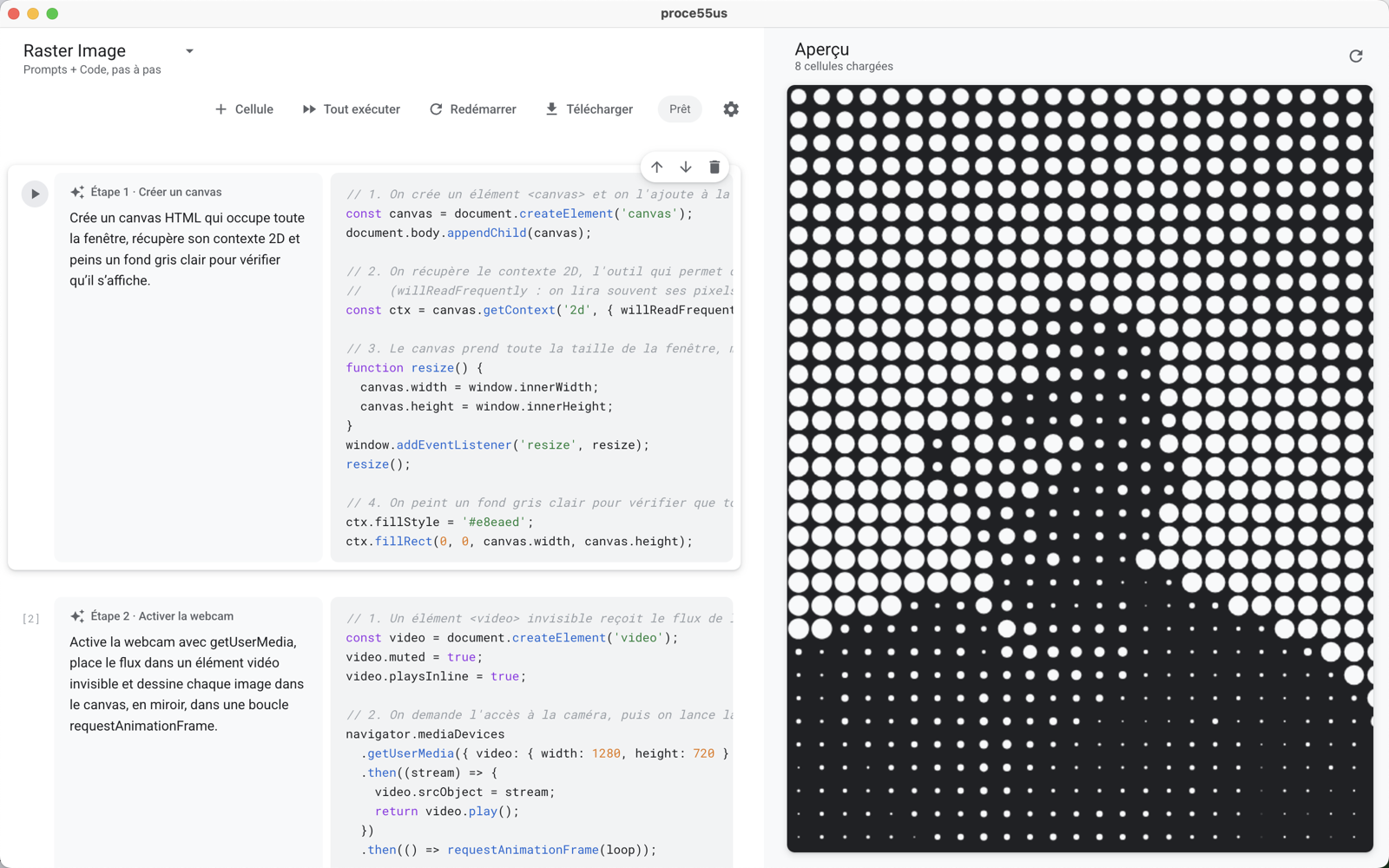
ECAL · Media & Interaction Design
Prompt a PROCESSUS. Watch it draw.
A creative-coding atelier: a notebook of steps where each cell pairs a natural-language prompt with the code a model writes for it — rendered live in a sandboxed preview.
Students read a prompt, see the code it produces, tweak, regenerate — and watch the sketch evolve one step at a time.
Each cell is a written intention. The model generates the code; the preview runs it instantly. Edit the prompt, regenerate the code.
The generated code isn't locked: students can read it, edit it directly in the cell, and rerun — or regenerate from the prompt.
Cells replay in order inside a sandboxed page. No build step, no tooling — the result appears as soon as the code does.
Works fully offline with LM Studio. Prefer the cloud? Switch to a free Google, Groq, Mistral or OpenRouter key in one click.
Each PROCESSUS picks its environment. The preview, the instructions given to the model and the export adapt to it — with a ready-made example for each.
Canvas 2D drawing, pixels and animation loops, in plain JavaScript.
Processing's spirit for the web: setup(), draw(), shapes and interaction.
3D scenes in WebGL: meshes, lights, camera and orbit controls.
A whole web page: HTML elements, CSS and interactions — not just a canvas.
Describe what the code should do — “fill the canvas with animated particles” — in plain language.
The model writes runnable code for the chosen mode — JavaScript, p5.js, three.js or DOM — aware of the cells above and the functions already defined.
Cells replay in order in the live preview. Undo, restart, or export the result as a standalone HTML page.

First launch: macOS warns that the app « cannot be opened » — it isn't notarized with a paid Apple certificate. Click Done, then go to System Settings → Privacy & Security → Open Anyway and confirm. It opens normally from then on.
see the repository.
PROCE55US needs a language model. Pick local — private and free — or a cloud key.
Qwen2.5-Coder-7B is a good start — and click
Download.